
Innovation
Tuesday, June 11, 2024
Follow this website design guide for startups to plan, build, optimise, and launch an engaging, responsive business website that attracts and converts customers.

Website Design Guide for Startups: Launch Your Site Fast
Nearly 90 percent of British consumers judge a startup’s credibility by its website design. If you are a founder in the UK, the right online presence can set you apart and bring more customers to your door. Affordable, responsive design is not a luxury but a necessity for growing startups. This article shows how strategic British website planning turns your site into a lead-generating asset and helps drive real business results.
Table of Contents
Step 1: Define Your Website Goals And Brand Priorities
Step 2: Plan Your Site Structure And Navigation
Step 3: Select Optimal Design Templates And Tools
Step 4: Customise And Build Key Site Pages
Step 5: Optimise For Mobile And Search Engines
Step 6: Test Functionality Before Launching
Quick Summary
Key Point | Explanation |
|---|---|
1. Define website goals clearly | Establish specific objectives that align with business strategy and address user expectations to drive meaningful outcomes. |
2. Plan intuitive site structure | Create a logical navigation hierarchy that guides users seamlessly to the information they seek while ensuring professionalism. |
3. Choose the right design tools | Select design software and templates that balance ease of use, collaboration, and flexibility to showcase your brand effectively. |
4. Prioritise mobile optimisation | Implement responsive design and SEO strategies to ensure optimal performance across devices and improve search visibility. |
5. Conduct comprehensive testing | Test functionality and user experience across devices to identify issues before launching, ensuring a seamless digital presence. |
Step 1: Define your website goals and brand priorities
Successful website design begins with crystal clear strategic planning. Your website must transform from a mere digital placeholder into a powerful tool that communicates your startup’s unique value proposition and drives meaningful business outcomes.
Starting your website development journey requires understanding precisely how website goals connect with business strategy. Every startup needs a website that serves specific purposes like generating leads, showcasing services, or enabling direct sales. Your goals should align with three key dimensions: business objectives, user expectations, and technical capabilities. Consider whether your site aims to inform potential customers, generate sales enquiries, provide customer support, or create an interactive community platform.
To craft an effective website strategy, break down your objectives into measurable elements. Identify your target audience, understand their pain points, and design your website to address those needs directly. This means creating content that speaks directly to your ideal customer, using language and visuals that resonate with their preferences and challenges. Think about the specific actions you want visitors to take track metrics like enquiry form submissions, product page views, or consultation bookings.
Expert Suggestion: Create a one page brief outlining your website goals, target audience personas, and key performance indicators before beginning design work to maintain strategic focus throughout the development process.
Step 2: Plan your site structure and navigation
Building a strategic website structure transforms your digital presence from a confusing maze into a clear, intuitive journey for potential customers. Your site architecture must guide visitors seamlessly towards their desired information while showcasing your startup’s professionalism and value.
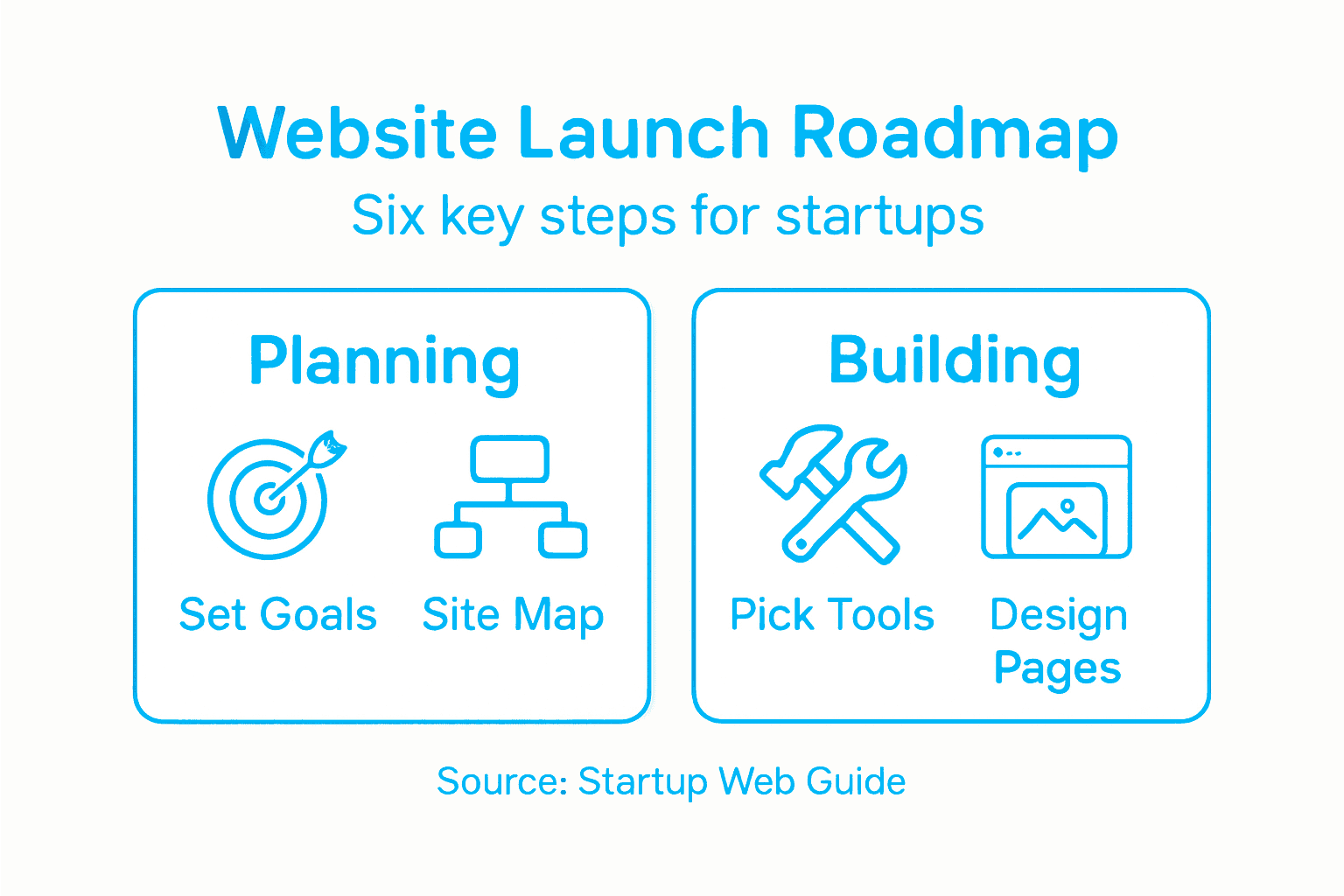
Begin by mapping out your core website pages with a logical, user-friendly hierarchy. Your main navigation should typically include sections like Home, About, Services, Portfolio or Products, Pricing, and Contact. These core pages create a straightforward pathway for visitors to understand your business quickly. Consider creating user experience focused navigation that anticipates your target audience’s needs and questions. Think about the customer journey: what information will they seek first? What questions must be answered to build trust and encourage further exploration?
Carefully consider how different pages interconnect. Your navigation should feel like a smooth, intuitive roadmap that allows visitors to move between sections effortlessly. Use clear, descriptive labels that instantly communicate what each page offers. Avoid technical jargon or clever wordplay that might confuse visitors. Instead, prioritise straightforward language that speaks directly to your potential customers’ needs and interests.
Expert Suggestion: Create a simple sitemap sketch on paper before digital design, which helps visualise how different pages will link and flow together logically.
Step 3: Select optimal design templates and tools
Choosing the right design tools can make or break your startup’s digital presence. Your website template and design software will become the foundation for creating a professional, engaging online platform that represents your brand’s unique personality.
Navigate the world of design tools by focusing on comprehensive design workflow solutions that balance ease of use with powerful features. Popular options like Figma, Sketch, and Adobe XD offer different strengths for startups. Consider factors such as team collaboration capabilities, learning curve, and integration with other development tools. Look for templates that provide flexibility for customisation while maintaining a clean, modern aesthetic that aligns with your brand identity.
Here’s a comparison of popular website design tools for startups:
Design Tool | Collaboration Features | Customisation Flexibility | Learning Curve |
|---|---|---|---|
Figma | Real-time team editing | Highly adaptable components | Beginner friendly |
Sketch | Mac-exclusive team sharing | Good for visual tweaks | Moderate for new users |
Adobe XD | Cloud co-editing | Extensive prototyping support | Steeper, advanced tools |
When evaluating design templates, prioritise responsiveness across multiple devices and platforms. Your chosen template should offer seamless adaptability from desktop to mobile screens, ensuring a consistent user experience. Pay close attention to colour schemes, typography options, and pre designed sections that can be easily modified to reflect your startup’s unique visual language. Remember that a great template serves as a starting point, not a final destination your design should ultimately be tailored to showcase your specific business personality and value proposition.
Expert Suggestion: Test at least three different templates side by side, creating mockup designs to compare how each truly represents your brand’s visual identity and user experience goals.
Step 4: Customise and build key site pages
Transforming your website from a template to a unique digital representation of your startup requires strategic page customisation. This crucial stage involves breathing life into your digital platform, ensuring each page communicates your brand’s distinct personality and value proposition.

Begin by implementing user-centred design principles that prioritise clarity and functionality. Focus on creating key pages that serve specific purposes: your homepage should immediately capture visitor attention, your services page must clearly articulate your offerings, and your about page should tell a compelling story about your startup’s mission and values. Wireframe each page before diving into detailed design, considering user flow and information hierarchy. Ensure that critical information is immediately visible and that navigation feels intuitive and effortless.
Pay meticulous attention to content placement, visual hierarchy, and brand consistency across all pages. Your colour palette, typography, and imagery should create a cohesive narrative that reflects your startup’s unique identity. Consider the emotional response you want to evoke with each page design. Are you communicating professionalism, innovation, trustworthiness? Every design element from headings to button colours should work harmoniously to reinforce your brand message and guide visitors towards taking desired actions.
Expert Suggestion: Create a style guide document that outlines your design principles, ensuring consistent visual representation across all website pages and future marketing materials.
Step 5: Optimise for mobile and search engines
Ensuring your startup’s website performs brilliantly across mobile devices and search rankings is no longer optional. It is a critical strategy for attracting and retaining potential customers in an increasingly digital marketplace.
Implement comprehensive mobile optimization techniques that prioritise user experience and search engine visibility. Your website must adapt seamlessly to smartphones, tablets, and desktop screens, with responsive design that automatically adjusts layout and functionality. Focus on critical elements like fast page loading speeds, touch friendly navigation, and content that reads clearly on smaller screens. Minimise large image files, leverage browser caching, and use clean semantic HTML markup to improve both mobile performance and search engine crawlability.
Search engine optimization requires a strategic approach that goes beyond technical implementation. Craft compelling meta descriptions, use strategic keywords naturally within your content, and ensure your website structure is logical and easy to navigate. Implement structured data markup to help search engines understand your content more effectively. Remember that Google now primarily uses mobile versions of content for ranking and indexing, so your mobile experience is paramount. Prioritise clear, concise content that provides genuine value to your visitors while signalling relevance to search algorithms.
Summary of essential mobile and SEO optimisation strategies:
Optimisation Area | Key Technique | Business Benefit | Common Pitfall |
|---|---|---|---|
Mobile Performance | Responsive design | Better user retention | Slow loading images |
SEO Best Practice | Strategic keyword placement | Increased site traffic | Overuse of keywords |
Technical Setup | Semantic HTML markup | Improved search ranking | Poor mobile markup |
Expert Suggestion: Run regular mobile compatibility tests using free tools like Google Mobile Friendly Test to continuously monitor and improve your website’s performance across different devices.
Step 6: Test functionality before launching
Before unveiling your startup’s website to the world, comprehensive testing is crucial to ensuring a professional and seamless user experience. A robust testing strategy will help you identify and resolve potential issues that could undermine your digital credibility.
Prioritise comprehensive usability testing methods that evaluate your website from multiple perspectives. This means examining functionality across different devices, browsers, and screen sizes. Test every interactive element such as forms, buttons, links, and navigation menus to confirm they work precisely as intended. Consider both automated testing tools and real user feedback to uncover potential problems. Pay special attention to load times, responsiveness, and how smoothly content renders on mobile and desktop platforms.
Go beyond technical functionality and assess the user experience holistically. Conduct user testing sessions where individuals unfamiliar with your website attempt to complete specific tasks, providing invaluable insights into navigation intuitiveness and potential user frustrations. Evaluate your site’s performance metrics, checking page speed, visual stability, and interactive responsiveness. Remember that minor issues can significantly impact user perception, so be meticulous in your testing approach. Address any identified problems comprehensively before making your website live.
Expert Suggestion: Recruit a diverse group of testers representing your target audience demographics to gain nuanced feedback on your website’s functionality and user experience.
Launch Your Startup Website With Confidence and Speed
Starting a website can feel overwhelming with so many decisions to make about structure, design tools and optimisation. This guide highlights how clear goals, intuitive navigation and mobile friendly, search optimised design are essential to stand out in today’s crowded market. At Firefly Digital we understand these exact challenges faced by startups wanting a professional site that drives results without delays or technical stress.
Take the next step in building your startup’s digital presence with our custom website design services tailored specifically for small businesses. We combine expert planning with innovative solutions like our AI-powered Ignite Sites to deliver beautiful, responsive websites quickly and affordably. Partner with us at Firefly Digital to enjoy a hassle-free design process, ongoing SEO management and reliable hosting support. Ready to launch a website that reflects your unique brand and converts visitors into customers Visit Firefly Digital today and get your project started with a team committed to your success.
Frequently Asked Questions
How can I define my website goals for my startup?
Start by identifying the primary purpose of your website, such as generating leads or showcasing services. Create a one-page brief that highlights your specific website goals, your target audience personas, and key performance indicators to ensure a focused strategy.
What is the best way to plan my site structure and navigation?
To plan an effective site structure, map out your core pages, such as Home, About, and Services, in a logical hierarchy. Create a simple sitemap sketch on paper to visualise how different pages will link together and ensure intuitive navigation.
Which design tools should I use for my startup’s website?
Select design tools that balance ease of use with powerful features; popular options include Figma, Sketch, and Adobe XD. Test at least three different templates side by side to determine which one best embodies your brand’s visual identity and goals.
How can I optimise my website for mobile devices and search engines?
Ensure your website uses responsive design to function well on all devices, including smartphones and tablets. Regularly run mobile compatibility tests to monitor performance, aiming to improve user experience by reducing loading times by approximately 20%.
What should I test before launching my startup’s website?
Before launching, conduct comprehensive usability testing that includes functionality checks across various devices and browsers. Recruit a diverse group of testers to provide feedback on navigation and user experience to identify and resolve potential issues.
How can I ensure my website communicates my brand effectively?
Customise key pages to reflect your startup’s distinct personality, utilising clear content placement, visual hierarchy, and brand consistency. Create a style guide that outlines your design principles to maintain a cohesive representation across all web pages.
Recommended
Related articles
Our platform is designed to empower businesses of all sizes to work smarter and achieve their goals with confidence.



Ignite your Firefly journey today!
Whether you seek social media marketing expertise, professional web design, or the perfect SEO strategy for your brand, our mission is to support you in reaching your goals through Web Design, SEO, Social Media Management & More.

Our Services
Subscriptions
Existing Clients